
Eliminate process failures with Ploomes Workflow automations
Automate codeless processes by defining rules, checklists, and SLAs with the Workflow module. Reduce errors, rework, and bottlenecks with end-to-end control and gain efficiency and fluidity between areas.
%20(2).webp)
+3000 companies use Ploomes to optimize their commercial management



Why Ploomes?
The Workflow that transforms
Native workflow in CRM
Automate processes directly connected to clients, opportunities, proposals, and contracts, ensuring fluidity in handoff (baton passing) between areas.
Flexible process automation without code
Create personalized flows with rules, checklists, deadlines, and approvals that reflect the reality of your business, all without depending on IT.
End-to-end control and visibility
Have clear deadlines, managers, and indicators to eliminate bottlenecks, reduce errors, and gain operational efficiency.
Key resources
The main features of the Workflow module
Custom workflows
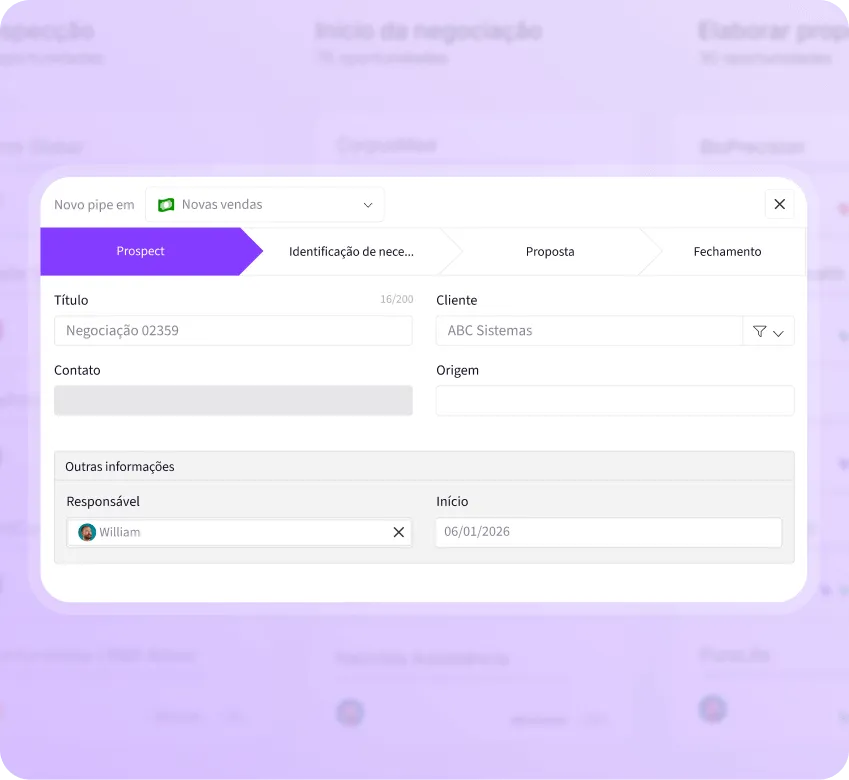
Create multiple flows with customized forms, fields, icons, naming, and own rules.
Checklists and conditional requirements
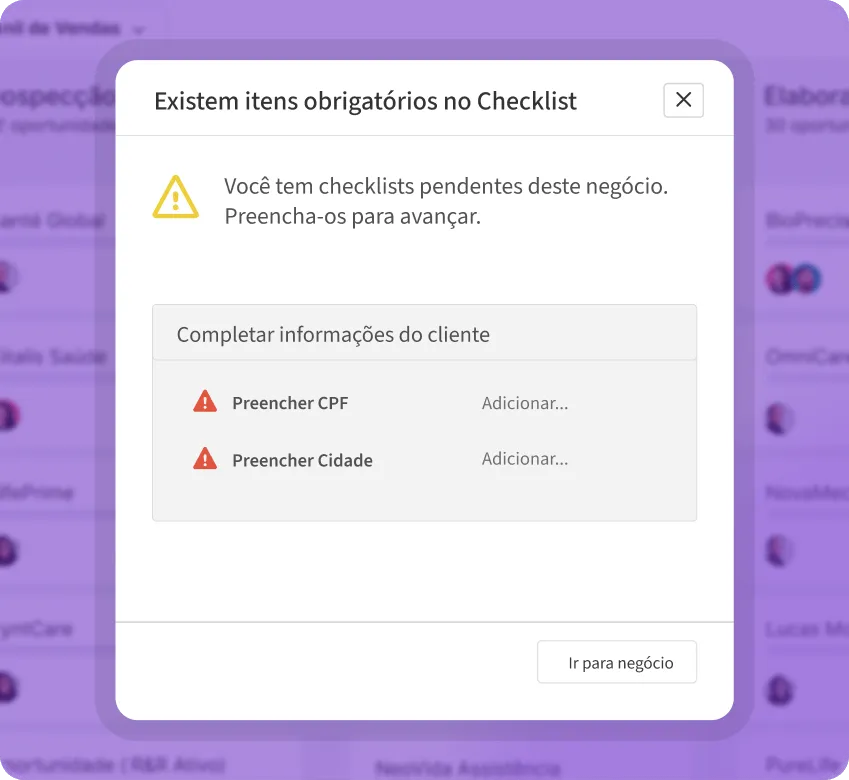
Define mandatory and conditional lists that must be completed to advance the steps with the Workflow module.
Automation via triggers
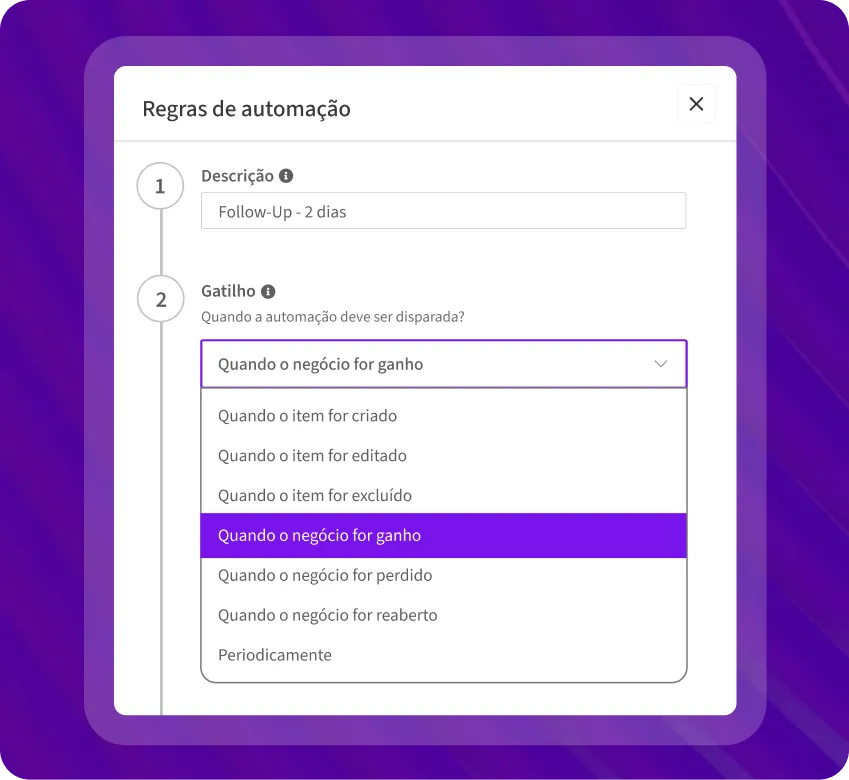
Automatic actions based on events: creation, change, deadline, sending emails, tasks, notifications.
.webp)
Setting deadlines and alerts (SLA)
Deadline control, automatic reminders, and escalations in case of delays.
Permission control
and accesses
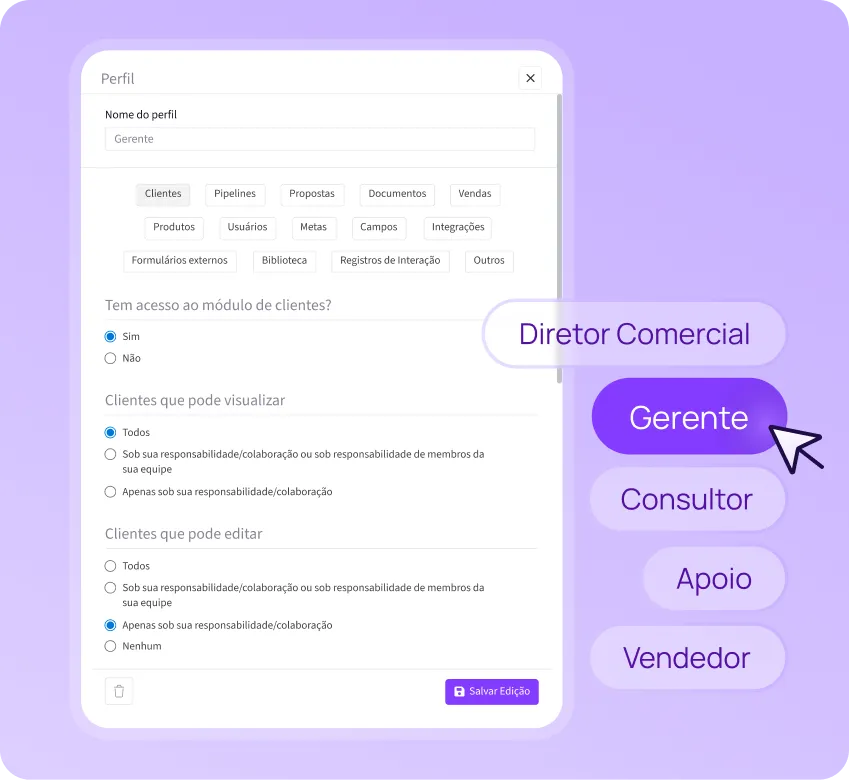
Define who can view, edit, approve, or delete information, ideal for different hierarchical levels.
Stages of the Process
How Ploomes Workflow (BPM) works in 3 steps
- Model the process (steps, assignees, and rules)
(etapas, responsáveis e regras)Create the flow with the Stages of the process, define Who does what and configure rules and mandatory fields to ensure standard and avoid failures. - Automate execution (triggers, checklists, and SLAs)
(gatilhos, checklists e SLAs)Activate triggers to create tasks, send notifications, and trigger communications. Use conditional checklists and deadlines (SLA) with alerts and automatic scheduling to keep the process at the right pace. - Track and improve (indicators)Have end-to-end visibility, following each stage, responsible persons, deadlines and events. Identify bottlenecks, reduce rework, and increase operational predictability.
Real results
See what customers have to say
"With Ploomes, we manage our funnel, opportunities, proposals, documents, and clients all in one place. It’s become the complete solution for our sales."

Intercarta

“Ploomes is a complete system, easy to configure and now includes several Vydence operations, from sales to technical assistance.”

de Vendas, Unimed SC
“Ploomes enabled contract management that no solution was able to provide.”

EASE Group

additional modules
Boost your Ploomes: extra modules for tailor-made growth
Add advanced functionality as your operation evolves, without complication or rework.


Real impact
Who benefits from
Ploomes workflow?
Companies of all sizes. Ploomes CRM + Workflow covers everything from smaller businesses to large organizations, in a scalable way.
O Ploomes CRM + Workflow atende desde negócios menores até grandes organizações, de forma escalável.
Teams with multiple areas (sales, after-sales, technical service, operations, HR, and legal) that need Handoff clear and traceable.
Companies with complex processes with steps, approval flow, SLAs, and checklists, where forgetting a task causes delay and error.
Organizations that still rely on spreadsheets, emails, and messages to control processes and suffer from a lack of pattern and low visibility.
Growing companies who need to maintain control and efficiency even with increased volume and demands.
INTEGRATIONS
Connect your technology tools to Ploomes
Ploomes connects more than 100 tools on the market, such as:
ERPs:
Sankhya, Omie, Dataplace, and many others.
Marketing and Communication:
Neppo, RD Station, Activecampaign, and more.
Automation and Productivity:
Google Calendar, Outlook 365, and others.
API access:
Build integrations for other software and have everything centralized.

services
Implementation and support of
We have exceptional people to run your business
to larger flights using Ploomes CRM and its modules

Consultative implementation
You know your processes, us, the technology. Together, we implemented Ploomes with support and training. Our multidisciplinary team is our differential.

Recurrent support
Online chat for clarification of questions and assistance to users. For accounts that require greater proximity, we offer the possibility of contracting premium support with personalized service..

Projects
Team made up of business analysts, solution architects and developers, with the function of activating the potential of Ploomes in your company through the development of new integrations, applications and functionalities.
Frequently Asked Questions
Ploomes Workflow (BPM) is a module for modeling and automating processes within the CRM. It organizes steps, managers, rules, checklists, deadlines (SLA), and approval flow, giving end-to-end control and reducing failures and rework.
No. You can create no-code flows, defining rules, required fields, checklists, deadlines, and approvals.
Handoff is the “walking stick” of a process from one area to another (for example, sales → operations → financial). The Ploomes Workflow standardizes this transition with steps, assignees, checklists, and SLAs, reducing noise, rework, and delays.
Workflow helps to standardize processes, reduce rework, and avoid overlooked steps. With SLAs, alerts, and automations, you gain efficiency, improve collaboration between areas, and monitor bottlenecks more clearly.
You can automate actions based on events such as creation, change of step, deadline, or completion of a checklist. Examples: create tasks, send notifications, trigger emails, and generate pending approval.
You set deadlines by step and the system can send automatic alerts before the due date. In the event of a delay, it is possible to configure automatic scheduling for managers and monitoring routines, keeping the process within the SLA.
Yes. Workflow allows you to define who can view, edit, approve, and advance steps. This helps with processes with hierarchy, compliance, and approval of exceptions (such as discounts or contracts).
Example: A technical services company receives a request to schedule a visit.
1. Scheduling: the customer service team views the technical team's schedule and allocates date/time according to availability.
2. Automatic shooting: the technician receives the task and event on the calendar and the client is notified by e-mail/WhatsApp.
3.SLA & scaling: in the event of a delay, the superior is notified and the caller can be reassigned.
4. Execution with locks: during the visit, the technician fills out the form (start/end, materials, photos, report, customer signature), without attaching photos/signature the flow does not proceed.
5. Automatic after-service: at the end, the system triggers NPS to the customer and creates follow-up within 7 days for post-service.
Do you have other questions? Get in touch
Increase the efficiency of your processes with the use of workflow and BPM.
It is the engine that ensures that your company's operation is fluid, standardized, and efficient. See it in practice!